
Hyundai Creta: Floor Console / Floor Console Assembly
Components and components location
| Component Location |
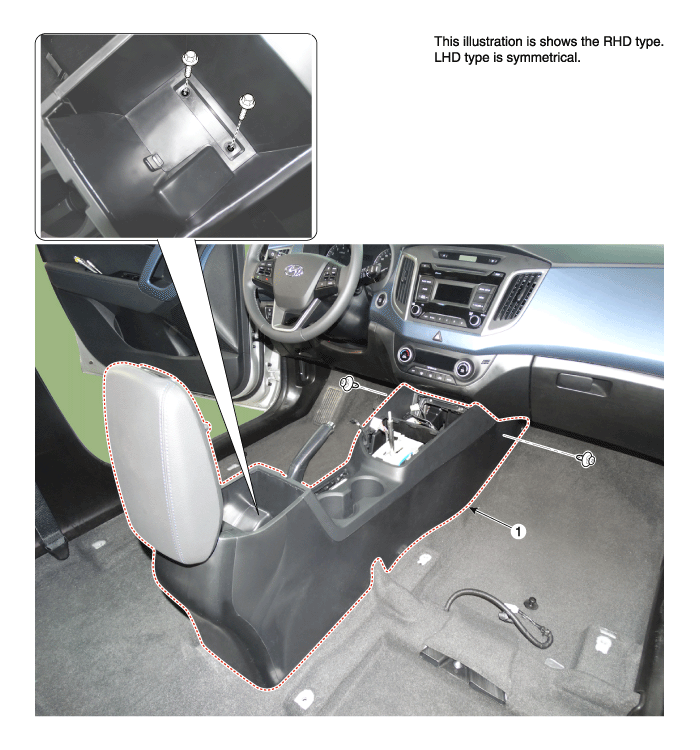
| 1. Floor console assembly |
Repair procedures
| Replacement |
|

|

| 1. |
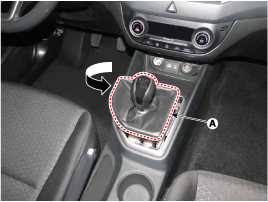
Remove the gear knob & boots (A) after turning in the counter clock-wise
direction.
|
| 2. |
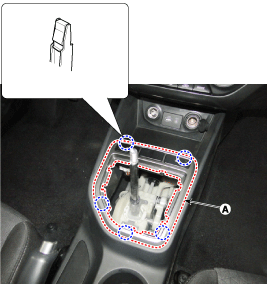
Using a screwdriver or remover, remove the front console upper cover
(A).
|
| 3. |
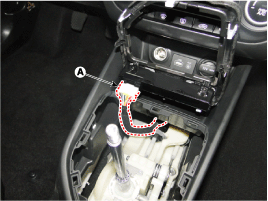
Disconnect the connectors (A).
|
| 4. |
Remove the tray (B) by using remover holder hole after removing the
rubber mat (A).
|
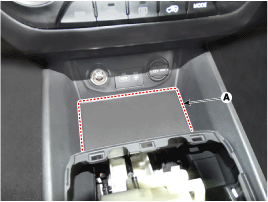
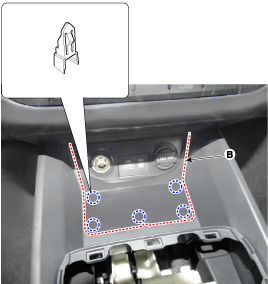
| 5. |
Disconnect the multimedia jcak connectors (A).
|
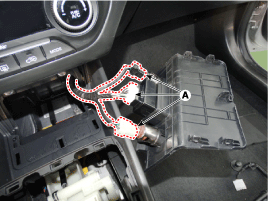
| 6. |
Using a screwdriver or remover, remove the parking brake cover (A).
|
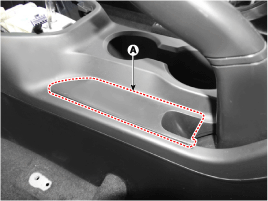
| 7. |
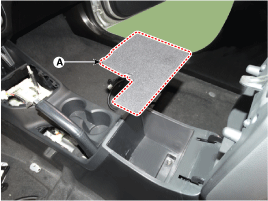
Remove the storage box pad (A).
|
| 8. |
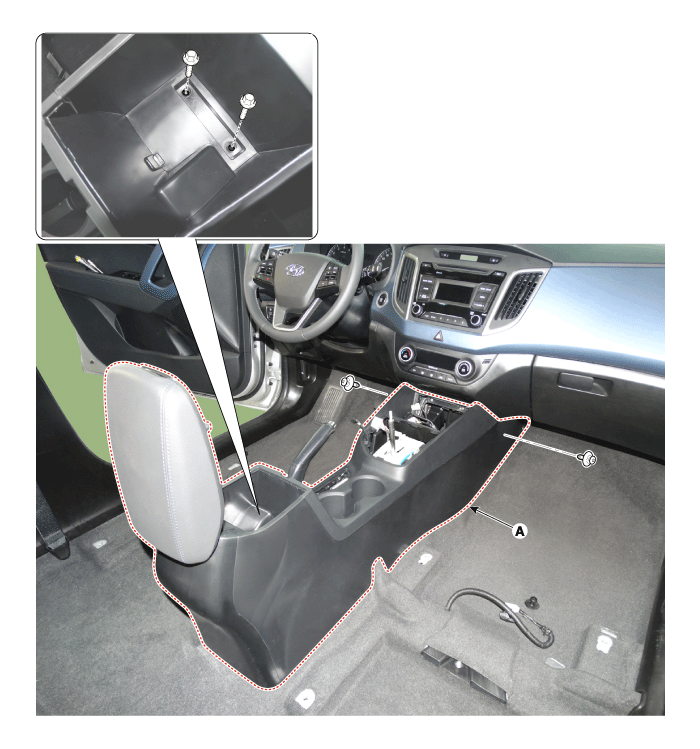
After loosening the mounting clips and bolts, then remove the floor
console assembly (A).
|
| 9. |
To install, reverse the removal procedure.
|

|
|
| 1. |
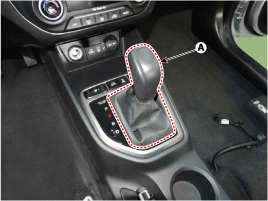
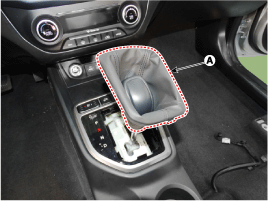
Remove the gear knob & boots (A) pull both of it up.
|
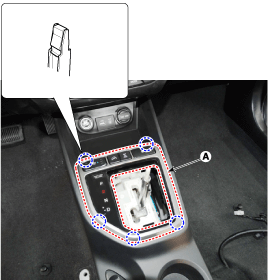
| 2. |
Using a screwdriver or remover, remove the front console upper cover
(A).
|
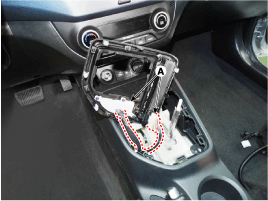
| 3. |
Disconnect the connectors (A).
|
| 4. |
Remove the tray (B) by using remover holder hole after removing the
rubber mat (A).
|
| 5. |
Disconnect the multimedia jcak connectors (A).
|
| 6. |
Using a screwdriver or remover, remove the parking brake cover (A).
|
| 7. |
Remove the storage box pad (A).
|
| 8. |
After loosening the mounting clips and bolts, then remove the floor
console assembly (A).
|
| 9. |
To install, reverse the removal procedure.
|
 Components and components location
Components
1. Parking brake cover
2. Console upper cover
3. Floor console front bezel
4. Ash tray
5. Floor console assembly
6. Console rear mounting br ...
 Rear Console Cover
Components and components location
Component Location
1. Rear console cover
Repair procedures
Replacement
& ...
Other information:
Hyundai Creta GS 2014-2019 Service Manual: Engine And Transaxle Assembly: Repair procedures
Removal
•
Use fender covers to avoid damaging painted surfaces.
•
To avoid damage, unplug the wiring connectors carefully while
...
Hyundai Creta GS 2014-2019 Service Manual: Water Temperature Control Assembly
Components and components location
Components
1. Water temperature assembly
2. Engine coolant temperature sensor (ECTS)
3. Gasket
4. Water pipe
Repair procedures
Removal and Installation
1.
Remove the engine cove ...
