Hyundai Creta: Floor Console / Rear Console Cover
Components and components location
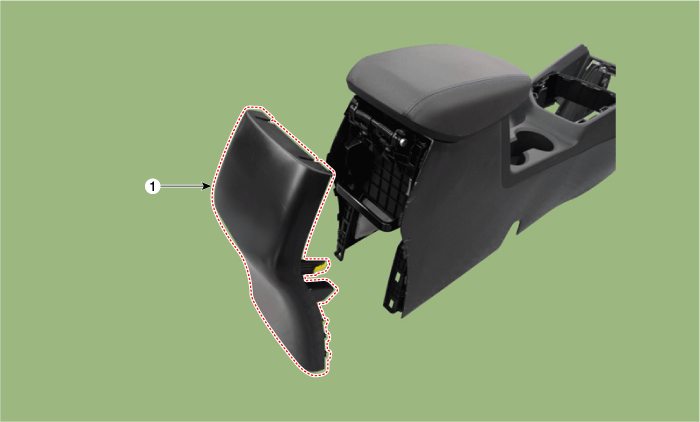
Repair procedures
| • |
Put on gloves to protect your hands.
|
|
| • |
When prying with a flat-tip screwdriver or use a prying trim
tool, wrap it with protective tape, and apply protective tape
around the related parts, to prevent damage.
|
| • |
Use a plastic panel removal tool to remove interior trim pieces
to protect from marring the surface.
|
| • |
Take care not to bend or scratch the trim and panels.
|
|
| 1. |
Remove the floor console assembly.
(Refer to Floor Console - "Floor Console Assembly")
|
| 2. |
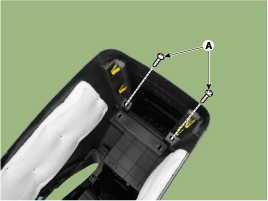
Loosen the rear console cover mounting screws (A).
|
| 3. |
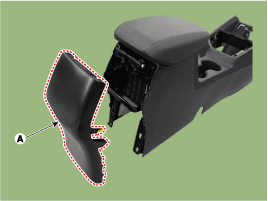
Using a screwdriver or remover, remove the rear console cover (A).
|
| 4. |
To install, reverse the removal procedure.
| •
|
Replace any damaged clips.
|
|
|
Components and components location
Component Location
1. Floor console assembly
Repair procedures
Replacement
[MT]
...
Components and components location
Component Location
1. Console armrest
Repair procedures
Replacement
&nbs ...



 Floor Console Assembly
 Console Armrest