
Hyundai Creta: Automatic Transaxle Control System / Shift Lever
Components and components location
| Components Location |
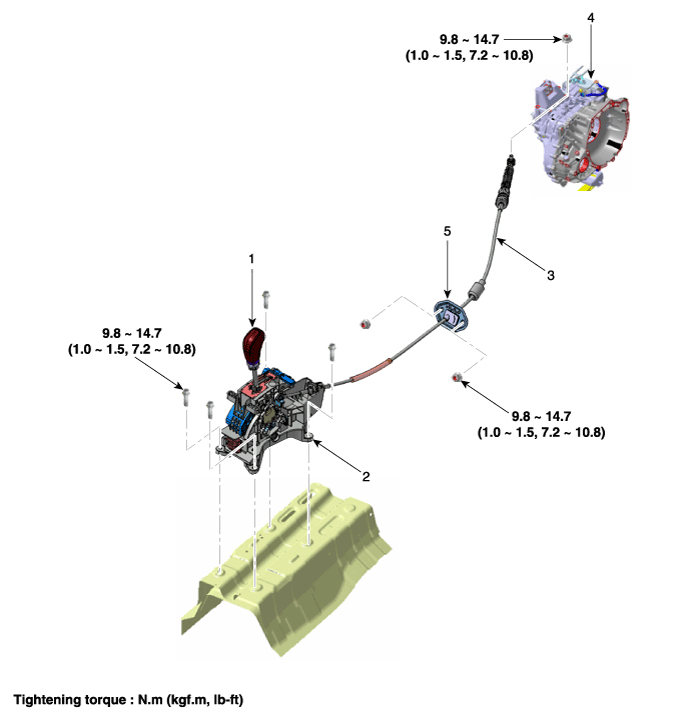
| 1. Shift lever knob & boots 2. Shift lever assembly 3. Shift cable |
4. Manual control lever 5. Shift cable retainer |
| Components |
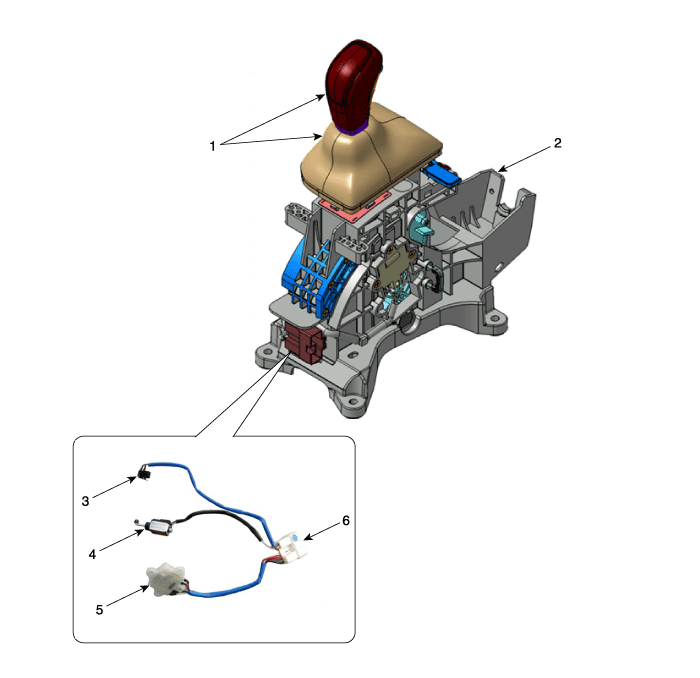
| 1. Shift lever & boots assembly 2. Shift lever assembly 3. P position switch |
4. Shift lock solenoid 5. Manual mode switch housing 6. Main connector |
Schematic diagrams
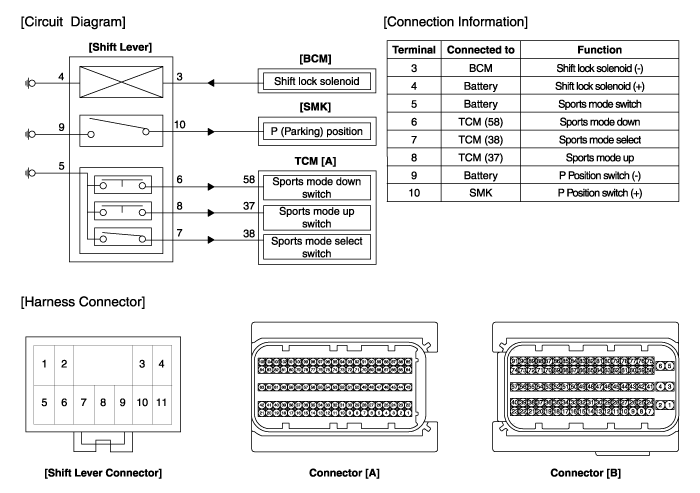
| Schematic Diagrams |
Repair procedures
| Removal |
| [RHD] |
| 1. |
Disconnect a boots from the console upper cover.
|
| 2. |
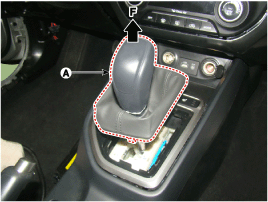
Pull the knob (A) in the direction of "F" and remove the knob.
|
| 3. |
Remove the floor console assembly.
(Refer to Body - "Floor Console")
|
| 4. |
Disconnect the connector (A) from the shift lever.
|
| 5. |
Disconnect the wiring mounting clips (B).
|
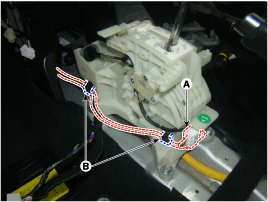
| 6. |
Disconnect the control cable.
|
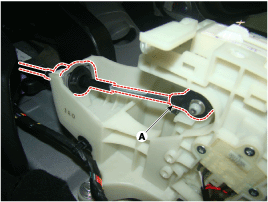
| 7. |
Remove the bolts and then shift lever assembly (A).
|

| 8. |
Remove the P position switch mounting bracket (A).
|

| 9. |
Disconnect the P position switch (B) and shift lock solenoid (A).
|

| 10. |
Disconnect the manual mode switch housing (A).
|
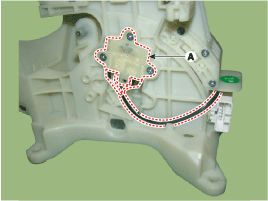
| 11. |
Disconnect the main connector (A) from the shift lever.
|

| 12. |
P position switch, shift lock solenoid, manual mode switch housing,
main connector assembly (A).
|

| 13. |
Remove the mounting bracket (A) of terminals from the main connector.
|

| 14. |
Remove each terminals (F) of the P position switch (A), shift lock solenoid
(B), manual mode switch housing (C) after released lock (E) from the
main connector (D).
|

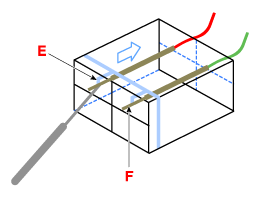


| [LHD] |
| 15. |
Disconnect a boots from the console upper cover.
|
| 16. |
Pull the knob (A) in the direction of "F" and remove the knob.
|

| 17. |
Remove the floor console assembly.
(Refer to Body - "Floor Console")
|
| 18. |
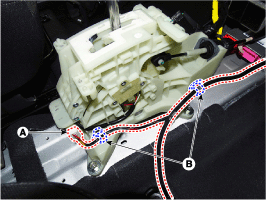
Disconnect the connector (A) from the shift lever.
|
| 19. |
Disconnect the wiring mounting clips (B).
|
| 20. |
Disconnect the control cable.
|

| 21. |
Remove the bolts and then shift lever assembly (A).
|

| 22. |
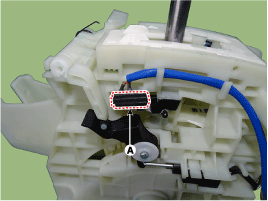
Remove the P position switch mounting bracket (A).
|
| 23. |
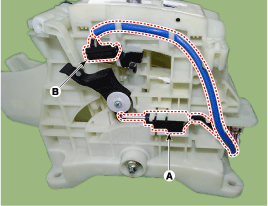
Disconnect the P position switch (B) and shift lock solenoid (A).
|
| 24. |
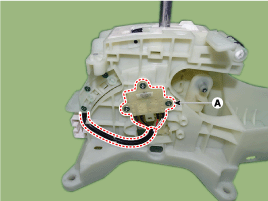
Disconnect the manual mode switch housing (A).
|
| 25. |
Disconnect the main connector (A) from the shift lever.
|
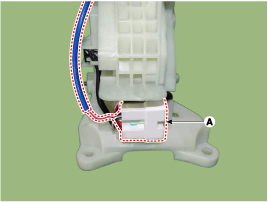
| 26. |
P position switch, shift lock solenoid, manual mode switch housing,
main connector assembly (A).
|
| 27. |
Remove the mounting bracket (A) of terminals from the main connector.
|
| 28. |
Remove each terminals (F) of the P position switch (A), shift lock solenoid
(B), manual mode switch housing (C) after released lock (E) from the
main connector (D).
|
| Installation |
| 1. |
To install, reverse the removal procedure.
|
 Inhibitor Switch
Description and operation
Description
•
The inhibitor switch mounted on the upper of transaxle and connected
with shifter lever.
•
...
 Shift Cable
Components and components location
Components
1. Shift lever knob & boots
2. Shift lever assembly
3. Shift cable
4. Manual control lever
5. shift cabl ...
Other information:
Hyundai Creta GS 2014-2019 Owners Manual: Driving at night
Night driving presents more hazards
than driving in the daylight. Here are
some important tips to remember:
Slow down and keep more distance
between you and other vehicles,
as it may be more difficult to
see at night, especially in areas
where there may not be any street
light ...
Hyundai Creta GS 2014-2019 Service Manual: Thermostat
Components and components location
Components
1. Water inlet fitting
2. Thermostat
Repair procedures
Removal
•
Disassembly of the therm ...
