
Hyundai Creta: Smart Key System / Smart Key: Repair procedures
Hyundai Creta GS 2014-2019 Service Manual / Body Electrical System / Smart Key System / Smart Key: Repair procedures
| Smart Key |
Smart Key Code Saving
| 1. |
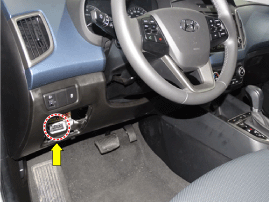
Connect the DLC cable of GDS to the data link connector (16 pins) in
driver side crash pad lower panel, turn the power on GDS.
|
| 2. |
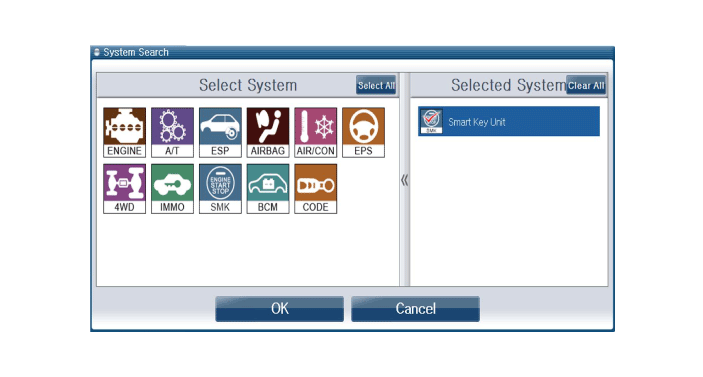
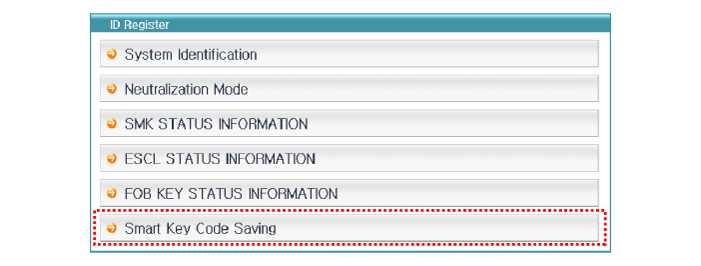
Select the vehicle model and then do "Smart Key Code Saving".
|
| 3. |
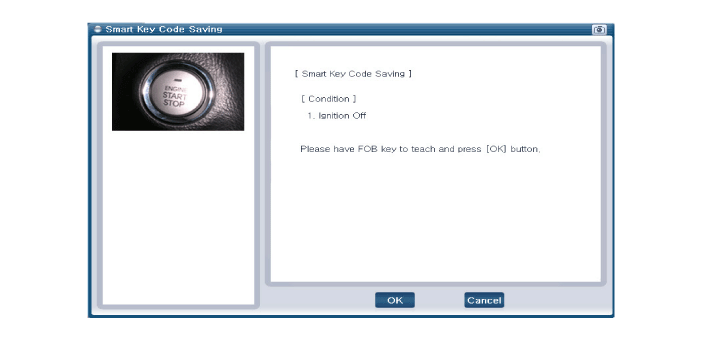
After selecting "Smart Key Teaching" menu, push "ENTER" key, then the
screen will be shown as below.
|
| 4. |
After having the teaching smart key, push "ENTER" key.
|
| 5. |
Input the "Pin Code" for first key teaching.
|
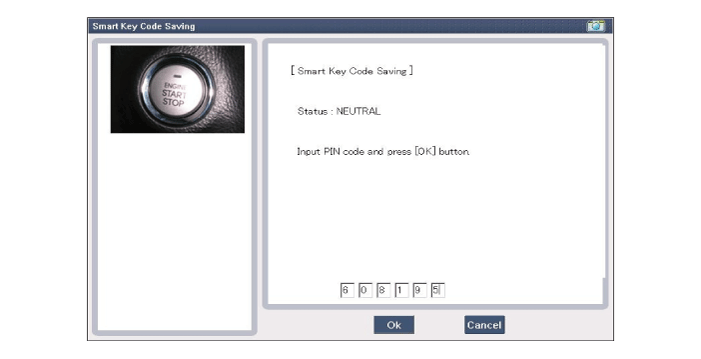
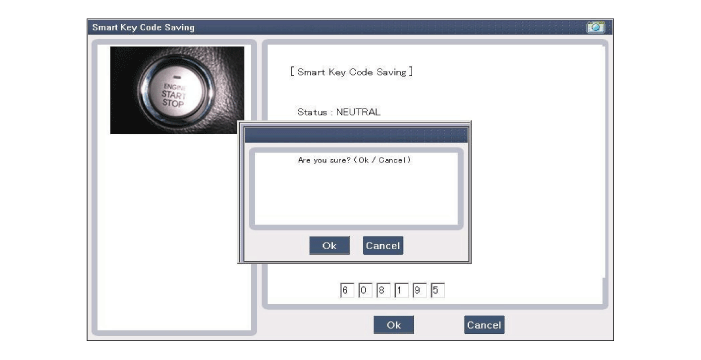
| 6. |
Press the SSB with smart key within 5 sec after pressing "OK".
|
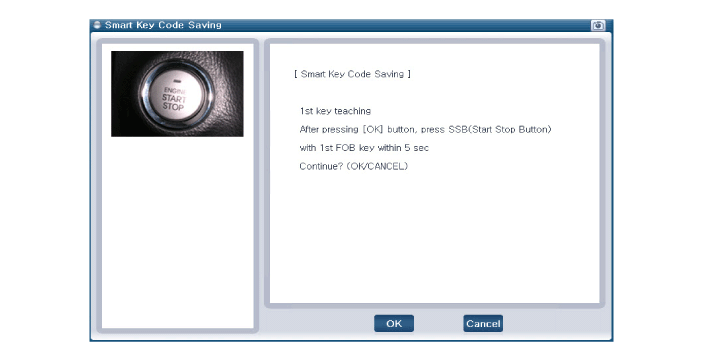
| 7. |
Confirm the message "First Key Teaching Completed".
|
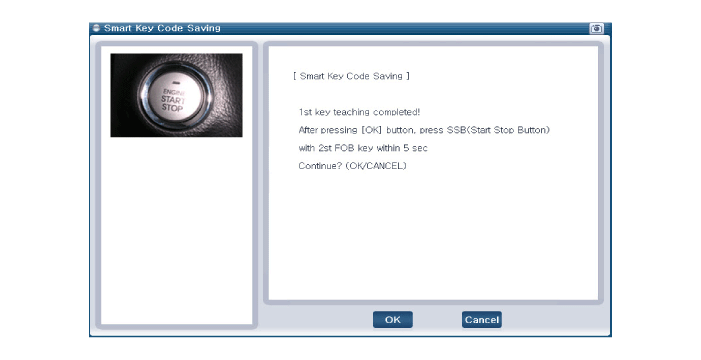
| 8. |
Press the SSB with smart key within 5 sec after pressing "OK".
|
| 9. |
Confirm the message "Second Key Teaching Completed".
|
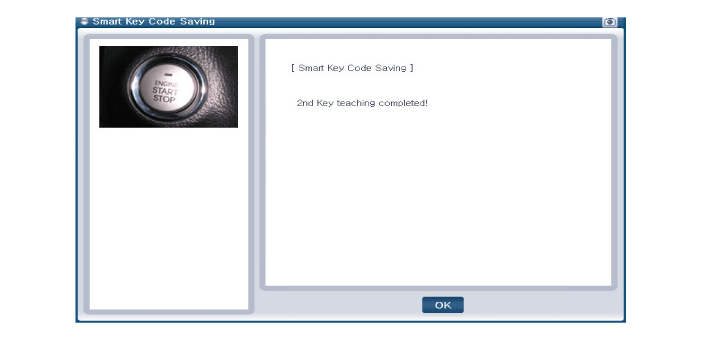
| 10. |
Then the screen will be shown as below when key teaching process is
completed.
|
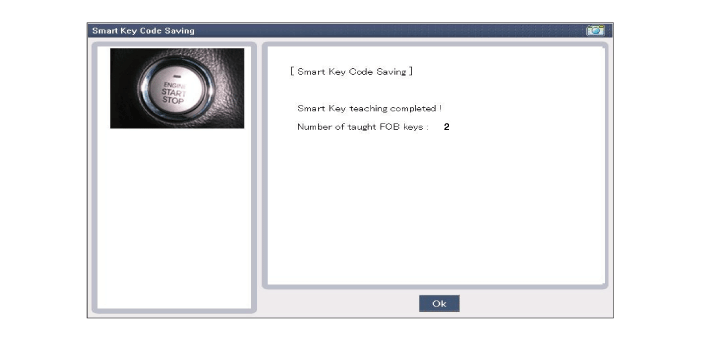
 Description and operation
Description
The SMART KEY system is a system that allows the user to access and operate
a vehicle in a very convenient way. To access the vehicle, no traditional key
or remote co ...
 Smart Key Unit
Components and components location
Components
Connector Pin Information
No
Connector A
Connector B
Connector C
...
Other information:
Hyundai Creta GS 2014-2019 Service Manual: Repair procedures
Refrigerant System Service
Basics
Refrigerant Recovery
Use only service equipment that is U.L-listed and is certified to meet the requirements
of SAE J2210 to remove HFC-134a (R-134a) from the air conditioning system.
...
Hyundai Creta GS 2014-2019 Owners Manual: Windshield wipers
Operates as follows when the ignition
switch is in the ON position.
MIST : For a single wiping cycle,
move the lever to or MIST
position and release. The
wipers will operate continuously
if the lever is held in this
position.
OFF : Wiper is not in operation.
INT : Wiper operates inter ...
В© 2017-2026 www.hcrmangs.com
