
Lincoln Nautilus: MyKeyâ„¢ / Creating a MyKey
Use the information display to create a MyKey:
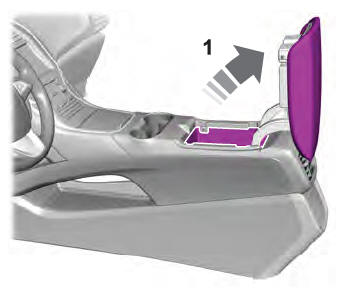
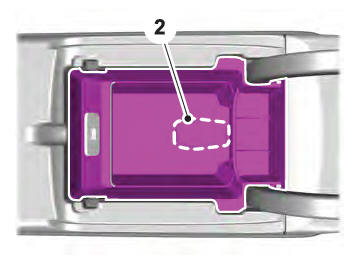
- Insert the key you want to program into the ignition. If your vehicle has a push-button start, place the remote control in the backup slot.
- Switch the ignition on.
- Access the main menu in the information display and then scroll through the menus to change the settings of your MyKey. From the MyKey menu select the option Create MyKey. See Instrument Cluster Display.
- When prompted, hold the OK button until you see a message informing you to label this key as a MyKey. The programmed restrictions apply when you switch the vehicle off, open and close the driver door and restart your vehicle with the programmed key or remote control.
- Switch the ignition off.
You successfully created a MyKey. Make sure you label it so you can distinguish it from the admin keys.
You can also program configurable settings for the keys.
Programming and Changing Configurable Settings
Use the information display to access your configurable MyKey settings.
- Switch the ignition on using an admin key or remote control you want to program.
- Access the main menu in the information display and then scroll through the menus to change the settings of the MyKey. See Instrument Cluster Display.
- Follow the instructions in the display. The programmed restrictions apply when you switch the vehicle off, open and close the driver door and restart your vehicle with the programmed key or remote control.
Note: You can clear or change your MyKey settings at any time during the same key cycle as you created the MyKey. Once you have switched the vehicle off, however, you need an admin key to change or clear your MyKey settings. When you make any changes to your MyKey settings, you change the settings for every MyKey. You cannot make individual changes to apply to certain MyKeys.
 Principle of Operation
MyKey allows you to program keys with
restricted driving modes to promote good
driving habits. All but one of the keys can be
activated with these restricted modes.
Any keys that remain unprogramme ...
 Clearing All MyKeys. Checking MyKey System Status
Clearing All MyKeys
When you clear your MyKeys, you remove
all restrictions and return all MyKeys to their
original admin key status at once. To clear
all MyKeys of all MyKey settings, use the
inf ...
Other information:
Hyundai Creta GS 2014-2026 Service Manual: Transaxle Oil Temperature Sensor
Description and operation
Description
•
Transaxle oil temperature sensor monitors the automatic transaxle fluid's
temperature and conveys the readings to TCM.
•
It is an NTC (Negative Thermal Coefficient) sensor whose resis ...
Hyundai Creta GS 2014-2026 Service Manual: Specifications
Specifications
Manual transaxle type
M6CF1
Engine type
Gasoline 1.6 MPI
Gear ratio
1st
3.769
2nd
2.045
3rd
1.286
4th
...
