
Hyundai Creta: Rear Bumper / Rear Bumper Cover
Components and components location
| Component Location |
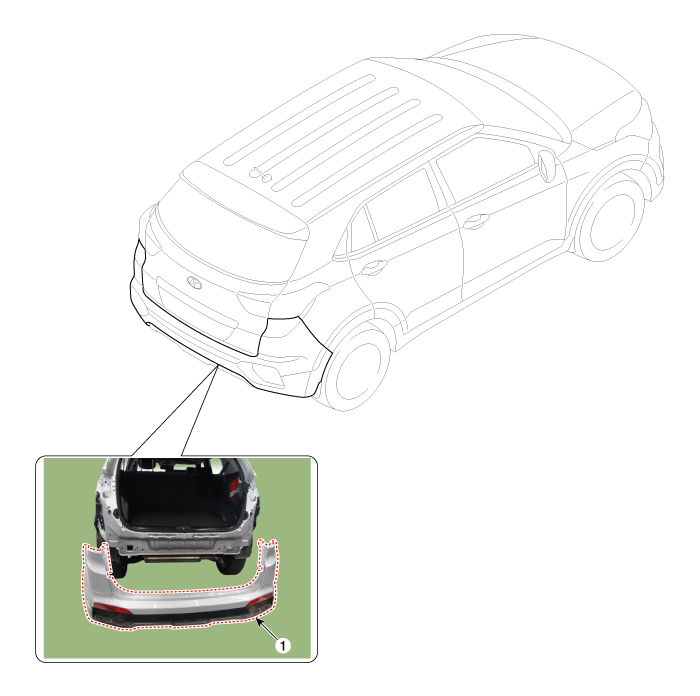
| 1. Rear bumper cover |
Repair procedures
| Replacement |
|

|

| 1. |
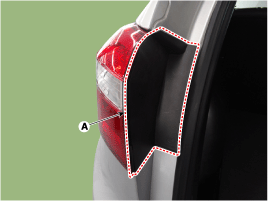
Using a screwdriver or remover, remove the rear combination lamp cover
(A).
|
| 2. |
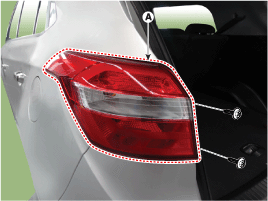
After loosening the mounting screws, then remove the rear combination
lamp (A).
|
| 3. |
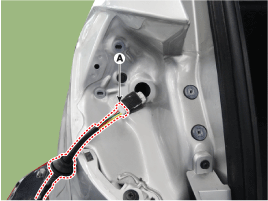
Disconnect the rear combination lamp connector (A).
|
| 4. |
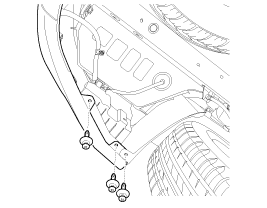
Loosen the rear bumper lower mounting clips.
|
| 5. |
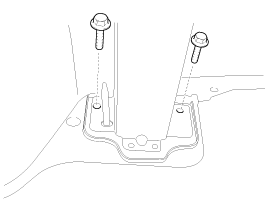
Loosen the mounting bolts.
|
| 6. |
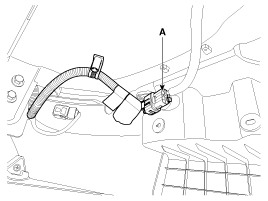
Disconnect the rear bumper main connector (A).
|
| 7. |
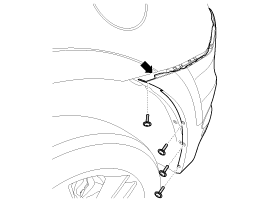
After loosening the rear bumper side's mounting screws, then disconnect
the side's.
|
| 8. |
Loosen the rear bumper upper mounting clip.
|
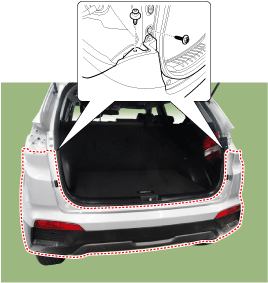
| 9. |
Remove the rear bumper cover (A).
|
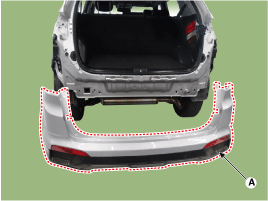
| 10. |
To install, reverse the removal procedure.
|

 Components and components location
Components
1. Rear bumper cover
2. Rear bumper side bracket [LH]
3. Rear bumper side bracket [RH]
...
 Rear Bumper beam Assembly
Components and components location
Component Location
1. Rear bumper beam assembly
Repair procedures
Replacement
...
Other information:
Hyundai Creta GS 2014-2019 Owners Manual: Side impact air bag
The actual air bags in the vehicle may differ
from the illustration.
Your vehicle is equipped with a side
impact air bag in each front seat.
The purpose of the air bag is to provide
the vehicle's driver and/or the
front passenger with additional protection
than that offered by the ...
Hyundai Creta GS 2014-2019 Owners Manual: Manual climate control system
1. Temperature control knob
2. Fan speed control knob
3. Mode selection knob
4. Air intake control button
5. Rear window defroster button
6. A/C (Air conditioning) button
In case of the Right-hand drive vehicle,
the switches are in the symmetrically
opposite order.
Heating and ai ...
